

65" · 4K UHD · Android 13


Conference Cameras in Oman
Conference cameras are the standalone cameras used where a video bar or a panel's built-in camera cannot cover the room: PTZ cameras on a wall or ceiling mount, wide-angle fixed cameras, and auto-framing or speaker-tracking units for larger spaces.
Products
Filters
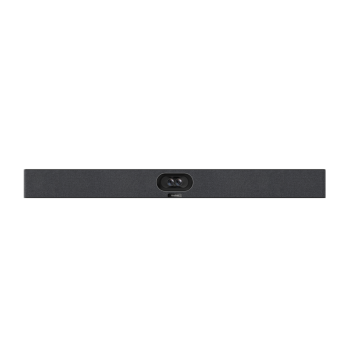
Yealink SmartVision 40 Dual 48MP All-in-One Camera Bar (SmartVision 40)
- 4K at 30 fps
- 120° diagonal
- 6× digital zoom
Price on request

Yealink SmartVision 60 360° 10K Camera for Teams Rooms (SmartVision 60)
- 10K panoramic
- Adaptive digital zoom
Price on request

Yealink SmartVision 80 Four-Lens AI PTZ Camera, 20× Zoom (SmartVision 80)
- 4K (quad-lens system)
- Qualcomm QCS8550
Price on request

Yealink UVC30 Content Camera Kit for Teams Rooms on Windows (UVC30 Room)
- 4K30, 1080p30, 720p30
- 120° diagonal
Price on request

Yealink UVC85-BYOD Meeting Kit, 4K PTZ Camera + CP50 (UVC85-BYOD)
- 90° D / 80° H / 50° V
Price on request

Logitech PTZ Pro 2 Webcam, Pan-Tilt-Zoom, 1080p Conference (PTZ-Pro-2)
- 90° field of view
Price on request
Logitech Rally Ultra HD PTZ – 4K Camera, 15× Zoom, Auto-Framing (LogRally-PTZ)
- 4K UHD
- 90° field of view
Price on request
Showing 46–56 of 56
Buying guide
Buying Conference Cameras in Oman
Field of view and mounting position do most of the work. A camera at the front of a boardroom has to reach the far end of the table without distorting the nearest seats. A lecture theatre usually needs a PTZ that can follow a presenter and hold presets for a lectern, a board and a wide shot. A training room may need two cameras, one on the trainer and one on the participants, plus a way to switch between them. Then check how the camera connects — USB to a room PC, or over the network for a fixed install — and whether its control protocol matches the room system you already run.
Cameras here are listed under Logitech, MAXHUB, ClearOne, Angekis, AISPEECH, SMART, BenQ, Newline, OneScreen, CleverTouch, Prestigio and Elo.
For an accurate quotation, give the room dimensions, where the camera can physically be mounted, the conferencing platform in use, and whether presenter tracking or multiple camera positions are required.
Conference Cameras — FAQ
How do I get a price?
Ask for a written quotation. Use Request pricing on any product page, WhatsApp +968 9664 1360 or email sales@smartrooms.me with the model or part number, the quantity, the delivery location in Oman and whether installation is needed. The quotation covers pricing, availability, warranty and installation options.
Video bar or separate camera?
A video bar — camera, microphones and speakers in one — suits huddle and small meeting rooms; larger rooms usually need a PTZ camera with separate microphones. We list video bars from Logitech, MAXHUB, Yealink, Barco and others, and PTZ cameras from Angekis, ClearOne, Logitech and Prestigio.
Are the devices Microsoft Teams or Zoom certified?
It depends on the model, and certification is listed on each product page — for example, Yealink's MVC Microsoft Teams Room systems and the Yealink MeetingBar A30, which is certified for both Teams and Zoom.
Can guests share their laptop screen without cables?
Yes, with a wireless presentation system — we list options from Barco ClickShare, MAXHUB, Newline, ViewSonic, Clevertouch and others.
Can you supply and install a complete meeting room?
Yes. The display, video bar or camera, controller and wireless sharing can go on one quotation, installed and commissioned together.